• 8 SEO Basics Every Mission-Driven Organization Needs to Get Right on Their Website

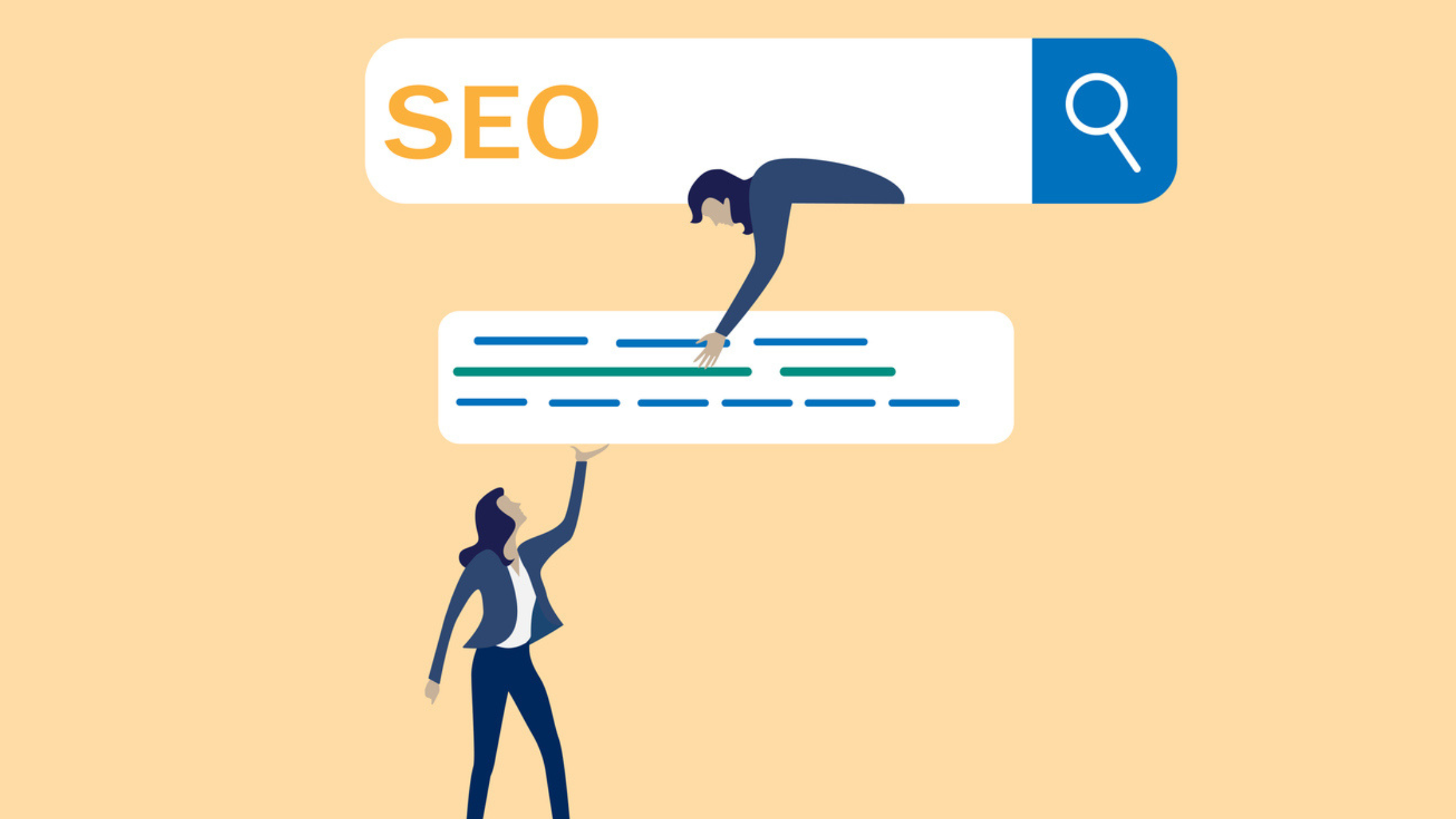
    8 SEO Basics Every Mission-Driven Organization Needs to Get Right on Their Website

    Search engine optimization has a reputation problem. Mention it in a nonprofit leadership meeting and you will likely get a combination of glazed eyes and quiet anxiety. It sounds technical. It sounds expensive. It sounds like something that requires a specialist on retainer and a strategy the size of a small thesis.

    It does not have to be any of those things.

    For mission-driven organizations, getting the SEO fundamentals right is one of the highest-return investments you can make in your digital presence. When someone searches for the cause you champion, the community you serve, or the programs you offer your website should be findable. Right now, for many organizations, it is not. Not because the work is not worthy, but because the basics have not been implemented.

    These eight fundamentals will change that.

    1. Understand What Your Audience Is Actually Searching For

    SEO begins not with your website but with your audience’s mind. The most common mistake organizations make is optimizing for the language they use internally rather than the language their audience uses when they search.

    Your organization might call it “transitional housing support.” Your audience is searching for “help finding housing” or “homeless shelter near me.” That gap between internal terminology and search behavior is where visibility is lost.

    Use free tools like Google Trends, AnswerThePublic, and Google Search Console to discover exactly what language your audience uses when they are looking for what you offer. Build your content and page structure around those terms naturally, without forcing them into places they do not fit.

    2. Give Every Page a Unique and Descriptive Title Tag

    Your title tag is the headline that appears in search engine results. It is also one of the most significant on-page SEO factors you control. Every page on your website needs its own unique title tag that accurately describes what that page contains and why a searcher should click on it.

    A homepage title tag like “Home | Organization Name” is a missed opportunity. “Free Financial Counseling for Families in Crisis | Organization Name” tells Google and your audience exactly what that page offers. The difference in click-through rate between a generic and a specific title tag can be significant.

    Keep title tags under 60 characters where possible, lead with the most important keyword, and make every one distinct from the others on your site.

    3. Write Meta Descriptions That Earn the Click

    The meta description is the short paragraph of text that appears beneath your title tag in search results. It does not directly influence your ranking, but it absolutely influences whether a searcher clicks on your result or the one below it.

    Think of your meta description as a 150-character pitch. What does this page offer? Why should the searcher choose your result? What will they find when they get there? Write it in plain, human language that speaks to the person searching not to an algorithm.

    Every page needs one. Most nonprofit websites have none, or have them auto-generated by their CMS with truncated body copy that communicates nothing useful.

    4. Use Your Heading Structure Logically

    Headings H1, H2, H3 serve two audiences simultaneously: your human readers and search engine crawlers. Used correctly, they make your content easier to navigate and they signal to Google what your page is about and how the content is organized.

    Every page should have exactly one H1, the primary title of the page. Your H2s break the content into major sections. Your H3s organize content within those sections. This is not just a formatting preference. It is structural information that search engines use to understand and rank your content.

    The mistake many organizations make is using heading tags purely for visual styling making text larger or bolder without regard for hierarchy. This confuses crawlers and dilutes the SEO value of your headings entirely.

    5. Write Alt Text for Every Image

    Alt text serves two critical purposes. It makes your website accessible to users who rely on screen readers which is the right thing to do and increasingly a legal requirement. And it gives search engines a text description of your images, since they cannot see visual content the way humans do.

    Every image on your website should have alt text that describes what the image shows and, where relevant, why it is on that page. “Image1.jpg” is not alt text. “Volunteer team distributing food boxes at community center in Chicago” is alt text. One communicates nothing. The other communicates to both your audience and search engines.

    This is a free action that takes seconds per image and compounds in value over time. There is no reason to skip it.

    6. Build Internal Links Intentionally

    Internal linking connecting pages on your website to other pages on your website is one of the most underused SEO tools available to nonprofit organizations. Every internal link you create passes authority between pages, helps search engines understand the relationship between your content, and guides visitors deeper into your site.

    When you publish a new blog post about your youth mentorship program, link it to your programs page. When your about page mentions your annual impact, link it to your impact report. When your donation page references specific programs, link those mentions to the relevant program pages.

    Do this consistently and deliberately. Do not link for the sake of linking link because the destination page genuinely adds value for the reader at that moment in their journey.

    7. Make Sure Your Website Is Technically Sound

    Content and keywords matter, but they sit on a technical foundation. If that foundation has problems, your SEO efforts will underperform regardless of how good your content is. The most common technical issues affecting nonprofit websites are slow page load speed, broken links, duplicate content, and pages that are not indexed by Google.

    Google Search Console is your first stop for identifying technical issues. It is free, it connects directly to how Google sees your site, and it flags problems that need attention. Set it up today if you have not already. Run a crawl using a free tool like Screaming Frog or Sitebulb to get a full picture of your site’s technical health.

    You do not need to understand every technical detail yourself. You need to know what questions to ask your web developer and Google Search Console will give you those questions.

    8. Create Content That Answers Real Questions

    Google’s primary goal is to match searchers with the most relevant, helpful content available. The organizations that rank well are the ones consistently creating content that genuinely answers the questions their audience is asking.

    For mission-driven organizations, this is a significant opportunity. Your team has deep expertise in the issues you work on. Your program staff, your leadership, your beneficiaries all of them have knowledge that your audience is actively searching for. A blog, a resources section, or a regularly updated news page is not just good for your audience. It is one of the most powerful long-term SEO tools available to you.

    Start with the ten questions you hear most often from the people you serve, the donors who support you, and the volunteers who join you. Write a clear, genuinely helpful answer to each one. Publish them. Update them. And keep going.

    SEO is not a project with a finish line. It is a practice that compounds over time. The organizations showing up at the top of search results today started building their foundation years ago. The best time to start was then. The second best time is now.

    If you want a professional audit of your website’s current SEO performance and a clear roadmap for improvement, our team is ready to help. Let’s talk.

  • How to Design a High-Impact Website on a Nonprofit Budget: A Step-by-Step Guide

    How to Design a High-Impact Website on a Nonprofit Budget: A Step-by-Step Guide

    Budget constraints are one of the most consistent realities of nonprofit and mission-driven work. And when it comes to website design, limited resources often lead to one of two outcomes: organizations either delay building or improving their site indefinitely, or they spend money in the wrong places and end up with a website that still does not perform.

    There is a better way. A high-impact website is not a product of unlimited budget, it is a product of clear priorities, smart platform choices, and a disciplined focus on what actually drives results. This guide will walk you through the exact steps to build or significantly improve your organization’s website without breaking the bank.

    Step 1: Get Clear on Your Goals Before Touching a Single Design Element

    The most expensive website mistake an organization can make is jumping into design before defining what success looks like. Before you choose a platform, hire a developer, or pick a color palette, get specific about what your website needs to accomplish.

    Are you primarily trying to drive donations? Build an email list? Recruit volunteers? Establish credibility with corporate partners? Each of these goals changes what your website needs to prioritize, and a site optimized for one can actually underperform for another if the strategy is not clear from the start.

    Write down your top two or three website goals. For each one, define what a conversion looks like: a form submission, a donation completed, a page visited. These become the benchmarks against which every design and content decision is measured.

    Step 2: Choose the Right Platform for Your Needs and Capacity

    Platform choice is one of the most consequential and most misunderstood website decisions a nonprofit organization makes. The right platform is not necessarily the most powerful one. It is the one your team can actually manage, update, and grow with.

    WordPress remains one of the most flexible and cost-effective options available. It has a significant learning curve but offers the most control over design, SEO, and functionality. With a quality theme and a handful of well-chosen plugins, an organization can build a professional, conversion-optimized site at a fraction of agency cost.

    Squarespace and Wix are excellent options for organizations with smaller teams or limited technical capacity. They sacrifice some flexibility in exchange for ease of use and faster setup. For many nonprofits, that is an entirely reasonable trade.

    If your organization qualifies for the Google for Nonprofits program, you have access to a range of free tools — including Google Workspace that can significantly reduce your overall operational and marketing technology costs.

    Step 3: Prioritize These Pages Above All Others

    You do not need a twenty-page website to make a strong impression. You need the right pages, built well. If resources are limited, concentrate your effort here first.

    Homepage: This is your mission statement, your first impression, and your primary navigation hub. It should communicate who you are, who you serve, and what you want visitors to do, immediately and clearly.

    About Page: Donors and partners give to people, not organizations. Your about page should tell your origin story, introduce your team, and communicate the values that drive your work. Authenticity here builds trust faster than any design choice.

    Programs or Services Page: Be specific about what you do and the impact it creates. Use real numbers, real stories, and real outcomes wherever possible. Vague impact language does not move people to action.

    Donation or Support Page: Treat this as a conversion-focused standalone experience. Simple, focused, and built to remove every barrier between a supporter’s intention and their action.

    Contact Page: Make it easy to reach you. Include a simple form, an email address, and your location if relevant. Nothing signals organizational neglect faster than a contact page that is broken or incomplete.

    Step 4: Use Free and Low-Cost Tools Strategically

    There is a free or affordable tool for almost every website challenge a nonprofit faces. The key is choosing tools that integrate well with each other and with your team’s capacity to use them consistently.

    For design, Canva is an exceptional resource for creating web graphics, social media assets, and promotional materials without a dedicated graphic designer. Google Fonts provides access to hundreds of professional typefaces at no cost.

    For analytics, Google Analytics and Google Tag Manager are non-negotiable. They are free, they are powerful, and they will tell you more about how your website is actually performing than any gut feeling or stakeholder opinion.

    For image optimization, TinyPNG and Squoosh compress image files significantly without visible quality loss, which improves your page load speed and your search engine rankings simultaneously.

    For accessibility testing, WAVE and Axe both offer free browser-based audits that identify issues affecting users with disabilities.

    For SEO, Google Search Console shows you exactly which search queries are bringing visitors to your site, and where you are losing visibility. Paired with Google Trends and AnswerThePublic, you have a solid keyword research foundation at zero cost.

    Step 5: Write Content That Earns Trust and Drives Action

    Design gets visitors to stay. Content gets them to act. And for many nonprofit organizations, the written content on their website is the weakest link in the conversion chain.

    Good website content is not long. It is clear. It speaks directly to your audience’s motivations, questions, and hesitations. It leads with the impact, not the organization. And it is written in the same language your audience uses, not the language of your grant reports or strategic plans.

    Every page of your site should answer the question a visitor is implicitly asking when they arrive. On your homepage: “Should I care about this organization?” On your donation page: “Is this a cause I trust enough to support financially?” On your about page: “Are these real people doing real work?” Answer those questions directly and you have already outperformed the majority of nonprofit websites.

    Step 6: Build for Search Engines From Day One

    SEO does not have to be complicated or expensive to be effective. The fundamentals, when applied consistently, will significantly improve your visibility in search results over time.

    Give every page a unique, descriptive title tag that reflects what that page is actually about. Write a clear meta description for each page that gives searchers a reason to click. Use your heading structure (H1, H2, H3) logically, not decoratively. Write alt text for every image that describes what the image shows. And make sure your site loads fast, because page speed is a confirmed ranking factor.

    These are free actions that any organization can take without a technical background. They will not produce results overnight, SEO rewards consistency and patience, but they build cumulative value that compounds over time.

    Step 7: Plan for Ongoing Maintenance, Not Just Launch

    A website launch is a beginning, not an end. Organizations that treat a redesign as a one-time project tend to end up back where they started within 18 to 24 months, with an outdated site, broken links, and performance metrics heading in the wrong direction.

    Build a simple maintenance calendar. Check for broken links monthly using a free tool like Broken Link Checker. Review your analytics quarterly to identify underperforming pages and update their content. Revisit your homepage messaging annually, or whenever your mission focus or programs shift significantly.

    Websites that stay relevant are the ones that receive consistent, small amounts of attention. You do not need a major overhaul every few years. You need a culture of ongoing stewardship. A high-impact website is within reach for every mission-driven organization, regardless of budget. The organizations that succeed online are not the ones with the most resources. They are the ones with the clearest strategy, the most audience-centric thinking, and the discipline to improve consistently over time.

    If you are ready to invest in a website that actually works for your mission, we would love to be part of that process. Let’s talk about where you are and where you want to go.

  • Is Your Website Working Against You? 7 Website Design Mistakes Mission-Driven Organizations Make (And How to Fix Them)

    Is Your Website Working Against You? 7 Website Design Mistakes Mission-Driven Organizations Make (And How to Fix Them)

    Most organizations know their website is not performing the way it should. Visitors are landing and leaving. Donation pages are getting traffic but not conversions. The contact form looks fine, but nobody is filling it out. Sound familiar?

    Here is the hard truth: a poorly designed website does not just fail to help your mission. It actively works against it. Every confusing page, every slow load, every broken mobile experience is a moment of doubt planted in a potential supporter’s mind. Doubt leads to hesitation. Hesitation leads to exit.

    The fixes are often simpler than organizations expect. You do not always need a complete rebuild. You need to identify where the friction is and address it strategically. These are the seven most common website design mistakes we see mission-driven organizations making, and exactly how to turn them around.

    Mistake 1: No Clear Value Proposition Above the Fold

    “Above the fold” refers to everything visible on your website before a visitor scrolls. If that space is occupied by a rotating carousel of stock images or a vague welcome message, you have already lost the plot.

    Visitors spend an average of 15 seconds deciding whether to stay or leave a website. Your value proposition, who you are, who you help, and why it matters, needs to be the first thing they read. Not the second. Not after they scroll. First.

    The fix: Rewrite your homepage hero section with a single, clear headline that communicates your mission in plain language. Follow it with one supporting sentence and one strong CTA. Test it with someone who has never heard of your organization. If they cannot explain what you do within 10 seconds of landing on the page, revise it.

    Mistake 2: Cluttered Navigation That Overwhelms Instead of Guides

    More options in your navigation menu do not mean more helpfulness. They mean more confusion. When visitors cannot immediately find what they are looking for, they default to the easiest available option — leaving.

    Many organizations make the mistake of building their navigation around internal department structures or organizational hierarchies. Your audience does not think that way. They think in terms of what they need.

    The fix: Limit your primary navigation to five items or fewer. Use language your audience uses, not internal jargon. If you have a lot of content, use dropdown menus sparingly and only where they genuinely simplify navigation. Every item in your nav should serve a visitor need, not an internal one.

    Mistake 3: A Donation Page That Creates More Questions Than Confidence

    If your donation page requires a visitor to think too hard, you will lose them. Confusing form fields, a lack of security indicators, no explanation of how funds are used, and a wall-to-wall design identical to every other page on your site are all friction points that cost you real dollars.

    Your donation page deserves its own design attention. It is not just another content page. It is a conversion page, and it should be treated as such.

    The fix: Strip the donation page back to essentials. Remove the navigation header so there are no exit distractions. Add a brief, emotionally resonant line about where the donation goes. Display trust badges and security certifications. Offer three to four suggested donation amounts with real-world impact equivalencies. Keep the form fields to the absolute minimum required.

    Mistake 4: Ignoring Page Load Speed

    You can have the most beautifully designed website in your sector and still be bleeding visitors because it takes five seconds to load. Speed is not a technical detail; it is a user experience issue that directly impacts your conversion rates, your search engine rankings, and your audience’s first impression of your organization.

    The fix: Run your website through Google PageSpeed Insights today. It is free, it is specific, and it will prioritize the issues causing the most damage. The most common culprits are oversized image files, excessive plugins, and unoptimized code. Start with the images, compress every file before uploading using a tool like TinyPNG or Squoosh. The improvement is often dramatic.

    Mistake 5: Content That Talks About You Instead of Your Audience

    One of the most pervasive website mistakes is writing all content from the organization’s perspective. “We have served over 10,000 families.” “Our team is passionate about change.” “We are proud to announce…”

    Your audience is not visiting your website to hear about you. They are visiting to find out what you can do for them — or what their support can do for the people you serve. The shift from organization-centric to audience-centric language is one of the highest-impact changes you can make without touching a single design element.

    The fix: Audit your homepage and key landing pages. For every sentence that starts with “we,” reframe it around the visitor or the beneficiary. “We have served 10,000 families” becomes “10,000 families have found stability through programs like this one.” Same fact. Completely different emotional pull.

    Mistake 6: No Strategy for Capturing and Nurturing Leads

    Most websites are built to share information and receive donations. That is important. But what about the visitor who is not ready to donate today? What about the corporate partner who is exploring options? What about the volunteer who wants to know more before they commit?

    If your website has no mechanism for capturing those visitors and staying in touch with them, you are leaving an enormous amount of long-term value on the table.

    The fix: Add at least one lead capture point to your website, an email newsletter signup, a downloadable resource, a webinar registration, or a “stay informed” form. Connect it to an email marketing tool like Mailchimp or HubSpot and build a simple nurture sequence that continues the relationship. Not every visitor converts on the first visit. Your website should be designed with that reality in mind.

    Mistake 7: Treating Your Website as Finished

    The biggest mistake of all. Your website is not a project with a completion date. It is a living tool that should evolve based on how your audience uses it, what your data tells you, and how your mission grows.

    Organizations that treat their website as “done” stop paying attention to it, and it quietly deteriorates. Links break, content becomes outdated, design trends shift, and audience expectations rise. A website that felt modern three years ago can feel dated and untrustworthy today.

    The fix: Schedule a quarterly website audit. Check for broken links, outdated content, and pages with high bounce rates. Review your Google Analytics data to identify underperforming pages. Set a realistic ongoing budget, not for a full rebuild, but for continuous improvement. Small, consistent updates outperform infrequent overhauls every time. If you recognized your organization in even two or three of these mistakes, you are not alone, and you are not without options. The organizations that win online are not always the ones with the biggest budgets. They are the ones paying attention, making data-driven decisions, and treating their website as the strategic asset it is.

    Start with one fix. Run one audit. Make one change this week. And then keep going.

    If you want a professional set of eyes on your website and a clear action plan for improving it, our team is ready to help. Let’s talk.

  • 9 Website Design Principles That Turn First-Time Visitors Into Long-Term Supporters

    9 Website Design Principles That Turn First-Time Visitors Into Long-Term Supporters

    Your website is not just a digital brochure. For mission-driven organizations, it is often the first real encounter a potential supporter, donor, or partner has with your work. And if that experience is confusing, slow, or uninspiring, they are gone. Not just from your site. Potentially from your cause.

    The good news? A well-designed website is one of the most powerful and cost-effective tools in your marketing arsenal. You do not need a massive budget to get it right. You need intention, clarity, and a design strategy that puts your audience first. These nine principles will help you build, or rebuild, a website that works as hard as your team does.

    1. Lead With Your Mission, Not Your Menu

    The first thing a visitor should understand when they land on your website is who you are and why it matters. Too many organizations lead with navigation bars, stock imagery, and generic taglines. That is a missed opportunity.

    Your hero section, the very first thing visible without scrolling, should answer three questions immediately: Who are you? Who do you serve? What do you want the visitor to do next? Keep it clear, keep it human, and make your mission the headline. Everything else supports it.

    2. Design for Mobile First

    More than 60% of web traffic now comes from mobile devices, and that number continues to climb. If your website was designed for a desktop screen and adapted for mobile as an afterthought, your visitors are feeling that friction — and leaving because of it.

    Mobile-first design means your layout, text sizing, button placement, and load speed are all built with the smallest screen in mind first, then scaled up. Tools like Google’s Mobile-Friendly Test can show you exactly where your current site falls short. If your donation button requires a magnifying glass to find on a phone, that is a conversion problem.

    3. Make Your Calls to Action Unmissable

    Every page on your website should have one clear, primary action you want the visitor to take. Donate. Volunteer. Subscribe. Learn more. Whatever it is, make it obvious, make it compelling, and repeat it intentionally throughout the page.

    Vague CTAs like “Click Here” or “Get Involved” underperform. Specific, benefit-driven language converts. “Fund a Family’s Fresh Start” will always outperform “Donate Now.” Think about what your audience gains by taking that action and put that into the button.

    4. Build Trust Visually

    Trust is earned before a single word is read on your website. Visitors make split-second decisions about credibility based on design quality. Outdated layouts, inconsistent fonts, low-resolution images, and cluttered pages signal disorganization, even if your mission is exceptional.

    Use real photography of your work and your people wherever possible. Feature testimonials, impact stats, and partner logos prominently. Display your nonprofit status, awards, or accreditations. These are not vanity additions; they are trust signals that reduce hesitation and increase conversion.

    5. Optimize Your Donation Flow

    If your donation process has too many steps, too many fields, or too many distractions, you are losing donors at the finish line. Your donation page should be the simplest, most focused page on your entire site.

    Remove your navigation bar from the donation page so visitors cannot wander off. Offer suggested giving amounts with impact equivalencies — “$50 provides school supplies for one child for a year” is far more motivating than a blank dollar field. And absolutely make sure your payment process is mobile-optimized and SSL-secured. Donors need to feel safe before they give.

    6. Prioritize Page Speed

    A one-second delay in page load time can reduce conversions by up to 7%. For nonprofit organizations operating on tight margins, that is a significant and entirely avoidable loss.

    Use Google PageSpeed Insights to audit your site’s current performance. Common culprits are oversized images, too many plugins, and unoptimized code. Compress your images before uploading, minimize redirects, and work with your web developer to address any technical issues flagged in the audit. Speed is not a technical luxury; it is a user experience necessity.

    7. Create a Content Structure That Guides the Journey

    Your website architecture, meaning how your pages are organized and linked together, should reflect how your audience thinks, not how your internal team is structured. A first-time visitor does not care about your organizational departments. They care about whether you can solve their problem or earn their trust.

    Map out the journey you want different visitor types to take. A first-time donor has a different path than a returning volunteer or a corporate partner. Use internal linking, clear navigation labels, and well-placed CTAs to guide each audience segment toward the action most relevant to them.

    8. Use Data to Make Design Decisions

    Your website is never finished. It is a living, evolving tool that should be continuously improved based on how real users interact with it. Google Analytics is non-negotiable here. Set it up properly and use it consistently.

    Look at your bounce rate by page, your conversion rate on donation pages, and where users drop off in your forms. Heatmap tools like Hotjar can show you exactly where visitors are clicking and scrolling, and more importantly, where they are stopping. Let the data tell you what your design cannot.

    9. Keep Accessibility at the Center

    An accessible website is not a nice-to-have, it is the right thing to do, and increasingly, it is also a legal requirement. Accessibility means your website can be used by people with visual, auditory, cognitive, and motor impairments.

    Practically, this looks like sufficient color contrast between text and backgrounds, alt text on all images, keyboard-navigable menus, and captions on video content. Tools like WAVE or Axe can run a free accessibility audit of your current site. Designing for accessibility does not limit your creative vision; it expands your reach. Your website is your hardest-working team member. It is available 24 hours a day, seven days a week, and it either earns trust or loses it with every visit. Applying these nine principles will not just improve your design, it will improve your mission outcomes.

    If you are not sure where your website currently stands, start with an honest audit. What does a first-time visitor actually experience? Where do they land, what do they feel, and what do they do next? The answers will tell you everything.

    We work with mission-driven organizations to build websites that do exactly that, convert visitors into long-term supporters. If you are ready to make your website work harder for your mission, let’s talk.

  • The Ultimate Guide to Choosing the Right Website Partner: 12 Questions Every Non-Profit Leader Must Ask Before Signing a Contract

    The Ultimate Guide to Choosing the Right Website Partner: 12 Questions Every Non-Profit Leader Must Ask Before Signing a Contract

    You have decided to invest in modernizing your website. Now comes one of the most important decisions you will make in this entire process: choosing the right partner to execute your vision. The wrong partner can waste your budget, miss deadlines, deliver a beautiful website that does not convert, or create technical problems that plague your organization for years. The right partner becomes a strategic advisor who understands your mission, anticipates your needs, and delivers a website that drives measurable growth in donations, volunteers, and overall impact.

    1. What Specific Experience Do You Have with Non-Profit Organizations Like Ours?

    This should be your first question because it reveals whether the partner understands the unique challenges of non-profit marketing and fundraising. Listen for specific examples of non-profit clients they have served. Pay attention to whether they can speak your language: donor acquisition cost, lifetime donor value, planned giving, and grant compliance. Ask to see case studies from comparable organizations. Red flags include generic responses about working with all types of clients or a portfolio dominated by e-commerce or corporate work with just one or two non-profit examples.

    2. How Do You Approach Mobile-First Design and Why Does It Matter?

    Mobile-first design means building the website primarily for mobile devices and then enhancing it for desktop, rather than the reverse. Listen for specific technical approaches. Do they mention responsive design frameworks? Do they discuss mobile performance optimization, touch-friendly interface elements, and mobile-specific user testing? Ask to see mobile versions of their previous work on your actual phone, not just in a browser simulator. Test the donation process. Red flags include defensive responses about mobile being “just part of responsive design” or portfolio sites that clearly work better on desktop than mobile.

    3. What Is Your Strategy for SEO and How Will You Ensure Our Website Gets Found?

    Listen for discussion of technical SEO fundamentals including site architecture and URL structure, page speed optimization, mobile-friendliness, schema markup implementation, and XML sitemap creation. Ask about their approach to content SEO. Request specific examples of SEO improvements they have delivered for other clients, with concrete data. Red flags include dismissing SEO as unimportant, claiming they can guarantee specific rankings, or avoiding concrete discussion of how they have improved search performance for previous clients.

    4. How Do You Ensure Accessibility Compliance and Why Should We Care?

    Your partner should demonstrate deep knowledge of WCAG standards and explain how they build accessibility into every aspect of website development. Ask about their testing process. Automated tools catch only about 30% of accessibility issues, so partners who rely solely on automated testing are missing the majority of problems. Red flags include treating accessibility as optional or demonstrating a lack of knowledge about WCAG standards.

    5. What Analytics and Tracking Capabilities Will You Implement?

    Listen for discussion of event tracking for specific actions including donation completions, volunteer applications, email sign-ups, resource downloads, and video plays. Ask about their experience with Google Analytics 4 and Google Tag Manager. Request examples of analytics dashboards they have created for other clients. Red flags include vague responses about tracking everything or lack of familiarity with GA4 or Tag Manager.

    6. What Ongoing Support and Maintenance Plans Do You Offer?

    At minimum, maintenance plans should cover software updates, security monitoring and patches, backup management and recovery options, uptime monitoring, and basic technical support. Understand response times and support availability. If your donation form breaks on Giving Tuesday, can you reach someone immediately? Red flags include no formal maintenance offerings or vague promises without clear terms.

    7. Which Content Management System Do You Recommend and Why?

    The right answer considers your team’s technical comfort, your budget for ongoing maintenance, your need for specific functionality, and your plans for future growth. Understand what training they will provide on using the content management system. Your team should be able to handle routine content updates without paying developers for every small change. Red flags include recommending proprietary systems that lock you into their services indefinitely.

    8. How Do You Handle Timeline and Project Management?

    Ask about their typical timeline for a project of your scope and what factors influence that timeline. Listen for discussion of project management tools and communication processes. Ask about their approach to changes and scope creep. Request references from previous clients specifically about timeline adherence and project management. Red flags include vague timelines without specific milestones or an inability to explain their project management process.

    9. Can You Show Me Your Portfolio and Explain the Results You Have Achieved?

    Request specific examples of websites they have built for organizations similar to yours in size, sector, or goals. Review these sites thoroughly. Test the donation process. Navigate the site on mobile. Ask about results achieved for portfolio clients. Did donation conversion rates improve? Did organic traffic increase? Request permission to contact portfolio clients for references. Red flags include portfolios that all look similar, suggesting template-based approaches, or an inability to discuss results achieved for previous clients.

    10. How Do You Integrate with Our Existing Tools Like CRM, Email Platforms, and Payment Processors?

    Ask about their experience integrating with the specific tools you use. If you use Salesforce, Blackbaud, or DonorPerfect for donor management, have they successfully integrated websites with these systems before? Listen for discussion of APIs, webhooks, and integration platforms like Zapier. Red flags include a lack of experience with your specific tools, dismissing integration needs as unimportant, or promising integrations they clearly do not understand.

    11. What Security Measures Do You Implement and How Do You Handle Compliance?

    Ask about their approach to security including SSL certificate implementation, PCI compliance for payment processing, secure hosting environments, regular security updates and patches, and backup and recovery procedures. Best practice is using hosted payment forms from providers like Stripe or PayPal where credit card data never touches your server, eliminating most PCI compliance requirements. Red flags include dismissive attitudes toward security concerns or a lack of knowledge about PCI compliance requirements.

    12. What Does Success Look Like and How Will We Measure It Together?

    Listen for discussion of specific, measurable success metrics. These might include donation conversion rate improvements, increased email list growth, higher average gift size, improved volunteer applications, or increased organic search traffic. Ask how they will measure these metrics and report on progress. Understand their approach to post-launch optimization. Few websites are perfect at launch. Success comes from continuous testing, learning, and improvement based on real user data. Red flags include an inability to discuss success metrics beyond launch or treating the project as complete when the site goes live.

    Use these twelve questions to evaluate potential partners thoroughly. Do not rush the decision. Interview multiple candidates. Check references. Review portfolios critically. Ask hard questions and pay attention to how partners respond. The best partnerships are built on mutual respect, clear communication, and a shared commitment to measurable results.

    Article 14

    The Connection Between Your Brand and Your Grant Success Rate

    Here is something most non-profits never hear from their grant consultants: your brand is either helping you win grants or it is costing you grants. That is not an opinion. That is a pattern we have seen play out across dozens of organizations doing genuinely meaningful work. They have the mission, the data, the community support, and the track record. But they walk into a grant review process with a brand that communicates something entirely different. And they lose. This article is about closing that gap.

    Why Funders Pay Attention to Brand Before They Ever Read Your Proposal

    Grant reviewers are human beings. Before they read a single word of your narrative, they have already formed an impression of your organization. That impression comes from your website, your social media presence, your visual identity, and the overall coherence of how your organization presents itself to the world. If those touchpoints feel disorganized, outdated, or inconsistent, reviewers carry that perception directly into how they evaluate your proposal. Brand credibility acts as a trust signal. Funders are investing real dollars into organizations they believe can execute. A professional, consistent, and mission-aligned brand says your organization knows who it is, what it stands for, and how to communicate it clearly. That reads as operational capacity.

    Consistency Is the Foundation of Credibility

    One of the fastest ways to lose funder confidence is inconsistency. When your grant narrative says one thing and your public-facing materials say another, it creates friction. Reviewers start asking questions. Does this organization have a clear identity? Do their programs align with their stated mission? Is their messaging controlled and intentional? Your brand messaging, your visual identity, your program language, and your grant narrative all need to be speaking the same language. The mission statement on your grant application should feel like a natural extension of the language on your homepage. When a funder can move from your website to your proposal and feel like they are in the same world, that consistency builds trust at a level that strong writing alone cannot achieve.

    Your Digital Presence Is Now Part of the Review Process

    Assume every funder is Googling your organization. Because they are. Your website, your LinkedIn page, your Facebook presence, your press coverage, your Google reviews, and your donor testimonials are all part of an informal due diligence process that happens before, during, and after grant review. Every digital touchpoint either adds to or subtracts from funder confidence. This does not mean your organization needs to spend a fortune on digital infrastructure. It means you need to be strategic. A well-organized, clearly branded, and consistently maintained digital presence communicates organizational health.

    The Language of Your Brand Is Also the Language of Your Grant

    The language you use in your brand, your mission statement, your program descriptions, and your impact statements should be the same language you use in your grants. When organizations treat brand development and grant writing as two separate workstreams, they end up with messaging that feels disconnected. Investing in clear, strategic brand language early in the year creates a vocabulary that your whole team can draw from. Grant writers, program staff, communications teams, and executive leadership all start operating from the same messaging framework. That alignment is visible in the quality and coherence of your proposals. And it wins grants.

    Demonstrated Community Trust Is a Grant Advantage

    Funders want proof that the community you serve actually trusts and engages with your organization. Your brand is the primary vehicle for demonstrating that trust publicly. When you have testimonials on your website, stories shared on social media, community members featured in your content, and partners publicly associated with your name, you are building a body of evidence that goes beyond what any proposal can claim. Feature the voices of the people your organization serves. Publish the outcomes of your programs in plain, compelling language that anyone can understand. When a funder cross-references your proposal with your online presence and finds a community that is visibly engaged and supportive, that is a powerful signal.

    Brand Investment Is Grant Strategy

    The organizations consistently winning competitive grants are not just submitting better proposals. They are showing up with stronger brands. They have clearer messaging, more professional digital presences, better storytelling, and more visible community credibility. Those things do not happen by accident. They happen because those organizations made a decision to invest in how they present themselves to the world. If your organization is leaving grant money on the table, it is worth asking whether your brand is part of the problem and whether a targeted investment in brand clarity could meaningfully shift your outcomes.

  • How to Align Your Website and Brand to Actually Drive Results

    How to Align Your Website and Brand to Actually Drive Results

    Drive Results

    The good news is that aligning your brand and website is not as complicated as the problem sounds. It does require intention, honesty, and a willingness to audit things your team may have been politely ignoring for a while. But the payoff, in trust, in conversions, in donor retention, and in team morale, is one of the highest return on investment choices a mission-driven organization can make.

    Step 1: Get Ruthlessly Clear on Your Brand Foundation

    You cannot align your website to a brand that is not clearly defined. And here is the uncomfortable truth: most organizations think they have a defined brand when what they actually have is a logo, a color palette, and a general sense of vibe. A real brand foundation has several essential components. Brand Purpose is why your organization exists beyond the work it does. Brand Promise is the specific, consistent experience your audience expects every time they interact with you. Brand Voice is how your organization communicates. Brand Values are the non-negotiables that govern how you operate and how you show up. Brand Positioning is where you sit in the landscape relative to similar organizations and what makes you genuinely different.

    If you cannot answer each of these clearly, in writing, in terms your whole team agrees on, stop here. Do this work first. Everything else depends on it.

    Step 2: Audit Your Website Through Your Brand Lens

    Once your brand foundation is clear and documented, it is time to hold your website up against it, ruthlessly, honestly, and page by page. This is not a design audit. It is a brand alignment audit. Evaluate voice and tone consistency by reading every page out loud. Assess visual brand consistency across colors, fonts, and imagery. Check message hierarchy to ensure each page leads with the most important message. Gauge emotional resonance by asking how each page feels. And confirm call-to-action alignment with your brand values. Document everything you find. Be specific. Be honest. This audit is the map that will guide your alignment work.

    Step 3: Prioritize Your Alignment Gaps

    Focus first on the elements that most directly affect trust, conversion, and first impressions. High priority items include your homepage messaging and visual alignment, your donation or conversion pages, your About page, and any page being actively driven by current campaigns. Medium priority items include program and service pages that support donor or partner decision making, blog and content pages that reflect your thought leadership, and team and leadership pages that humanize your organization. Tackle high-priority items first, measure the impact, then work your way down the list over time.

    Step 4: Rewrite Your Website Copy Through Your Brand Voice

    If there is one step in this entire guide that produces the most immediate and most impactful results at the lowest cost, it is this one: rewrite your website copy. Copy is where your brand lives. Lead with your audience, not yourself. Use your actual brand voice, not a generic “website voice.” Be specific about your impact. Vague impact language is the nemesis of mission-driven marketing. “Helping communities thrive” means nothing. “Providing 12,000 meals to food-insecure families in Tampa Bay last year” means everything. Make the ask feel like the natural next step.

    Step 5: Establish Brand Governance for Your Website

    Brand governance is the system that prevents misalignment from creeping back in. At minimum, your brand governance process should include a brand style guide that lives in one place and is actively used, a simple review process for new website content before it goes live, a quarterly website audit ritual to check for drift, and a clear owner, not a committee, who is accountable for ensuring the website consistently reflects the brand.

    Step 6: Measure What Matters

    You have aligned your brand and your website. Now you need to know if it is working. Track your bounce rate, which should decrease as your first impression improves. Monitor time on site and pages per session, which should increase as your website becomes more engaging. Watch your conversion rate as the north star. Track donor retention rate and use qualitative feedback from exit surveys. Use Google Analytics and Google Tag Manager to set up event tracking for every conversion point on your site. Data is not optional. It is the compass that tells you whether your alignment work is moving in the right direction.

    Article 11

    Why Your Brand Should Lead Every Website Decision

    Here is a scenario that plays out in organizations everywhere. A website project kicks off. There is excitement. There is a mood board. Someone has strong opinions about fonts. Someone else really wants a hero video. The designer shares three concepts and the team votes on their favorite. Three months and a significant budget later, you have a beautiful new website. It loads fast. It looks modern. The executive director loves it. And then it does not perform. Traffic stays flat. Conversions barely move. What went wrong? The brand did not lead. The aesthetic did. And those are two very different things.

    Brand Is the Brief. Everything Else Is Execution.

    Think of your brand as the architect and your website as the building. You would not start laying bricks before the architect has drawn the plans. You would not pick window styles before you know what the building is supposed to do, who it is for, and what it needs to feel like inside. Yet organizations do the website equivalent of this constantly, jumping into design, copy, and development without a brand strategy to anchor every decision. The result is a website that looks finished but feels hollow. It has all the pieces but none of the soul. When brand leads, every website decision has a filter. Not “does this look good?” but “does this reflect who we are and serve the people we are here for?” Those are very different questions, and they lead to very different outcomes.

    What Brand-Led Website Decisions Actually Look Like

    Navigation Structure: A brand-led navigation is not organized around how your organization thinks about itself internally. It is organized around how your audience thinks about what they need. If your brand is about removing barriers and making things simple, your navigation should be ruthlessly simple.

    Visual Design: Every visual choice, including color, typography, imagery, white space, and layout, should be a direct expression of your brand attributes. Not trends. Not personal preference. The question to ask of every visual decision is whether it looks like you or like everyone else.

    Copywriting: Your copy tone, vocabulary, sentence length, level of formality, use of humor, and emotional register are all brand decisions. When copy is written without a brand voice guide as the anchor, it defaults to generic. And generic does not convert. Brand-led copy sounds specific to your organization. It makes your audience feel seen, understood, and invited.

    Calls to Action: Your calls to action are one of the most brand-expressive elements on your entire website. “Donate Now” is a transaction. “Join the Movement” is a brand statement. Which version reflects your brand? The answer should be obvious and consistent across every page.

    Photography and Video: The visual media on your site sends a more immediate brand signal than almost anything else. Before a visitor reads a single word, they have absorbed the emotional tone of your imagery. Ask your team: if someone looked at the images on your website with no text and no logo, would they know what kind of organization you are? Would they feel what you want them to feel?

    The Three Moments Where Brand Must Lead

    The Discovery Phase: Before a single wireframe gets drawn, your brand foundation needs to be documented and agreed upon. Any agency or developer who starts your website project without asking for your brand strategy document should trigger a pause. Good website partners demand brand clarity before they touch a single design element.

    Content Strategy: Content strategy is the bridge between your brand and your website structure. It determines what stories you tell, in what order, on which pages, in whose voice, and for which audience. Brand-led content strategy starts with your audience’s needs and maps your organization’s story to those needs.

    The Review Process: Every round of feedback on design, copy, or user experience should be filtered through one question: does this serve our brand and our audience? Not “do I personally like it.” Not “can we make the logo bigger.” Brand-led review processes are more efficient, less subjective, and produce better outcomes because they have a consistent standard to measure against.

    Let brand lead. It is the decision that makes every other decision easier.

  • 7 Critical Ways a Modern Website Drives Organizational Impact and Revenue Growth in 2026

    7 Critical Ways a Modern Website Drives Organizational Impact and Revenue Growth in 2026

    In today’s digital-first landscape, your website is no longer just an online brochure. It is your organization’s most powerful revenue-generating tool, your 24/7 fundraising engine, and often the first impression potential donors, volunteers, and partners will have of your mission. Yet too many organizations are leaving money on the table and limiting their impact because of outdated websites that frustrate users and fail to convert visitors into supporters.

    If your website was built more than three years ago and has not been updated, you are likely experiencing lower donation conversion rates, higher bounce rates, and missed opportunities to engage your audience. The good news is that modernizing your website can predictably scale your organization’s impact and revenue. Here are seven critical ways a modern website drives organizational growth in 2026.

    1. Mobile Responsiveness Unlocks Your Largest Audience Segment

    Mobile traffic now accounts for over 60% of all web visits, and for non-profit organizations this number is even higher. Your audience is checking your website from their phones while commuting, during lunch breaks, and in the moments when they feel most inspired to give. If your website does not deliver a seamless mobile experience, you are losing donations before the conversation even starts.

    A mobile-responsive website automatically adjusts its layout, images, and functionality to fit any screen size. This means your donation forms work perfectly on smartphones, your navigation is thumb-friendly, and your compelling stories are just as powerful on a small screen as they are on a desktop monitor. Organizations that have prioritized mobile responsiveness report donation increases of 30 to 50 percent simply by removing friction from the mobile giving experience.

    Make sure your website design is mobile-first, meaning it is built primarily for mobile devices and then enhanced for desktop. Test your donation pathway on multiple devices regularly and use tools like Google’s Mobile-Friendly Test to identify areas for improvement. Your mobile experience should be frictionless, fast, and designed with the user’s thumb in mind.

    2. Page Speed Optimization Directly Impacts Your Bottom Line

    Every second counts when it comes to page load speed. Research shows that 53% of mobile users abandon a site that takes longer than three seconds to load. For non-profit organizations, this translates directly to lost donations, missed volunteer sign-ups, and reduced program awareness. Slow websites also damage your credibility and make visitors question whether your organization is professional enough to handle their contributions responsibly.

    Modern websites are optimized for speed through compressed images, efficient code, content delivery networks, and strategic caching. Organizations that improve their page speed from five seconds to two seconds typically see a 20 to 30 percent increase in conversion rates across all actions, from newsletter sign-ups to donation completions.

    Use Google PageSpeed Insights to diagnose your website’s performance and get specific recommendations for improvement. Focus on optimizing your largest images first, as these are often the biggest culprits in slow load times. Consider implementing lazy loading for images below the fold so that your critical content loads immediately while less important elements load as users scroll. If your website is hosted on a shared server, it may be time to upgrade to a managed hosting solution that prioritizes performance.

    3. Accessibility Standards Expand Your Reach and Demonstrate Your Values

    Accessibility is not just about compliance with the Americans with Disabilities Act. It is about ensuring that everyone, regardless of their abilities, can engage with your mission and contribute to your cause. Approximately 26% of adults in the United States have some type of disability, and many more experience temporary limitations like broken arms or situational constraints like bright sunlight on their screens.

    Modern websites incorporate accessibility standards from the ground up. This includes proper heading structure for screen readers, sufficient color contrast for users with visual impairments, keyboard navigation for those who cannot use a mouse, and alt text for images that conveys meaning to those who cannot see them. These features do not just help people with disabilities. They improve the user experience for everyone and demonstrate that your organization truly values inclusivity.

    Start by running your website through WAVE, the Web Accessibility Evaluation Tool, to identify accessibility issues. Focus on quick wins like adding alt text to images, ensuring your heading tags are in logical order, and checking that your color contrast meets WCAG 2.1 AA standards. Accessibility is an ongoing commitment, not a one-time checkbox.

    4. Strategic Donation Pathway Design Transforms Visitors into Donors

    Your donation pathway is the journey a visitor takes from first considering a contribution to completing the transaction. Every step in this pathway is an opportunity to inspire action or create friction that causes donors to abandon the process. Modern websites treat donation pathways as their most valuable real estate, designing them with the same care and attention that e-commerce sites give to their checkout processes.

    A well-designed donation pathway includes a compelling call to action that is visible on every page, a streamlined form that asks for only essential information, clear impact statements that show donors exactly what their contribution will accomplish, multiple payment options including digital wallets and recurring giving, and immediate confirmation with next steps for engagement. Organizations that optimize their donation pathways report conversion rate improvements of 50 to 100 percent compared to generic, multi-step forms buried in their navigation.

    Analyze your current donation pathway using Google Analytics to identify where users are dropping off. Test different donation amounts, experiment with suggested giving levels that align with specific program costs, and always include a recurring giving option prominently displayed. Make sure your donation page loads quickly and works flawlessly on mobile devices.

    5. SEO Infrastructure Ensures Your Mission Gets Discovered

    Search Engine Optimization is how your organization gets found by people who are actively searching for causes like yours, programs you offer, or ways to make an impact in your community. A modern website is built with SEO infrastructure from the foundation up, making it easy for search engines to understand, index, and rank your content. This is not about gaming the system. It is about making sure your valuable content reaches the people who need it most.

    Effective SEO infrastructure includes clean URL structures, proper meta descriptions and title tags, strategic keyword placement in headers and content, internal linking that guides users and search engines through your site, mobile optimization, fast load speeds, and schema markup that helps search engines understand your content. Organizations with strong SEO see 50 to 70 percent of their website traffic coming from organic search, which represents an ongoing source of new supporters that costs nothing beyond the initial investment.

    Start with keyword research using tools like Google Trends, AnswerThePublic, or free trials of tools like SEMrush. Understand what your audience is actually searching for and create content that answers their questions. Make sure every page on your website has a unique, descriptive title tag and meta description. Create valuable content consistently. Blog posts, program updates, impact stories, and educational resources all signal to search engines that your website is active and authoritative.

    6. Analytics Integration Enables Data-Driven Decision Making

    You cannot improve what you do not measure, and a modern website makes it easy to track every meaningful interaction your visitors have with your organization. Analytics integration transforms your website from a static digital presence into a learning system that continuously provides insights into what is working, what is not, and where your biggest opportunities lie.

    Modern analytics go far beyond counting page views. They track specific events like donation form starts and completions, video plays, document downloads, email sign-ups, and outreach form submissions. This data reveals exactly where users are getting stuck in your conversion pathways and which content resonates most with your audience. Organizations that embrace analytics-driven optimization make better decisions faster and see continuous improvements in their website performance.

    Implement Google Analytics 4 and Google Tag Manager on your website. Set up conversion tracking for all your key actions including donations, volunteer applications, newsletter sign-ups, and event registrations. Create custom dashboards that show your most important metrics at a glance. Review your data monthly and look for patterns. Use A/B testing to experiment with different headlines, calls to action, and page layouts. Let the data guide your decisions rather than assumptions or personal preferences.

    7. User Experience Design Builds Trust and Drives Action

    User experience design is the practice of creating websites that are intuitive, enjoyable, and effective at helping users accomplish their goals. Great user experience design is invisible. Users do not notice it consciously, but they feel the difference between a website that anticipates their needs and one that creates confusion and frustration. In the non-profit space, positive user experiences build trust, which is essential for securing donations and long-term support.

    Modern user experience design principles include clear navigation that helps users find what they need in three clicks or less, consistent branding and design elements throughout the site, compelling storytelling that connects emotionally with visitors, prominent and persuasive calls to action, fast load times and smooth interactions, and intuitive forms that guide users through completion. Organizations with strong user experience design see higher engagement rates, longer session durations, and significantly better conversion rates across all goals.

    Conduct user testing with real people from your target audience. Watch how they navigate your website and note where they get confused or frustrated. Use heatmap tools like Hotjar or Microsoft Clarity to see where users are clicking and how far they are scrolling. Simplify your navigation by grouping related content and using clear, descriptive labels. Make your most important content and calls to action immediately visible on your homepage. Remember that every element on your website should serve a purpose. If it does not help users understand your mission, take action, or find information, consider removing it.

    Investing in a modern website is not just about keeping up with technology trends. It is about maximizing every opportunity to advance your mission, engage your supporters, and drive measurable revenue growth. Your mission deserves a website that works as hard as you do.

Work with Us